clicks.page vs Google Analytics 4
Google Analytics 4 is free and powerful, and it's what most people are leaving when they look at clicks.page. Here's an honest look at both.
Pick Google Analytics 4 if…
Pick clicks.page if…
- You don't want cookies, or a consent banner for analytics
- You want numbers now, not 12–24 hours later[14]
- You take payments with Stripe, Paddle, Polar, Lemon Squeezy, Dodo or Creem and want revenue by source without code
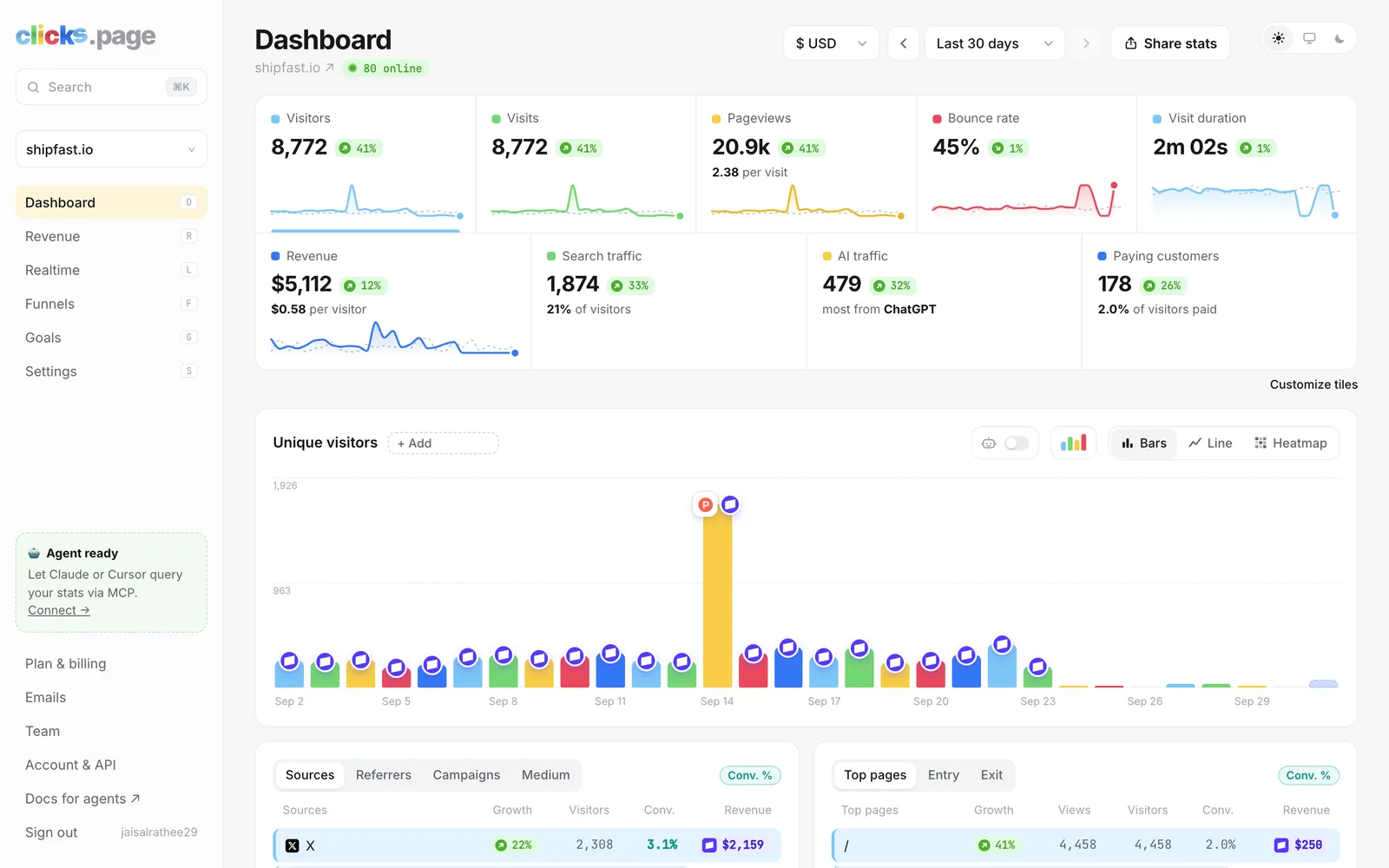
- You want one calm page instead of reports and explorations
Price at the same traffic
Standard GA4 is free[1]. Google doesn't publish a price for GA4 360, its paid tier.
| Monthly pageviews | clicks.page | Google Analytics 4 |
|---|---|---|
| 10k | $9/mo $90/yr | $0/mo $0/yr |
| 100k | $19/mo $190/yr | $0/mo $0/yr |
| 1M | $49/mo $490/yr | $0/mo $0/yr |
| Free plan / trial | 14 days, no card | Free[1] |
| Websites | Up to 100 on every plan | Free, within Google's limits[2] |
Feature by feature
| clicks.page | Google Analytics 4 | |
|---|---|---|
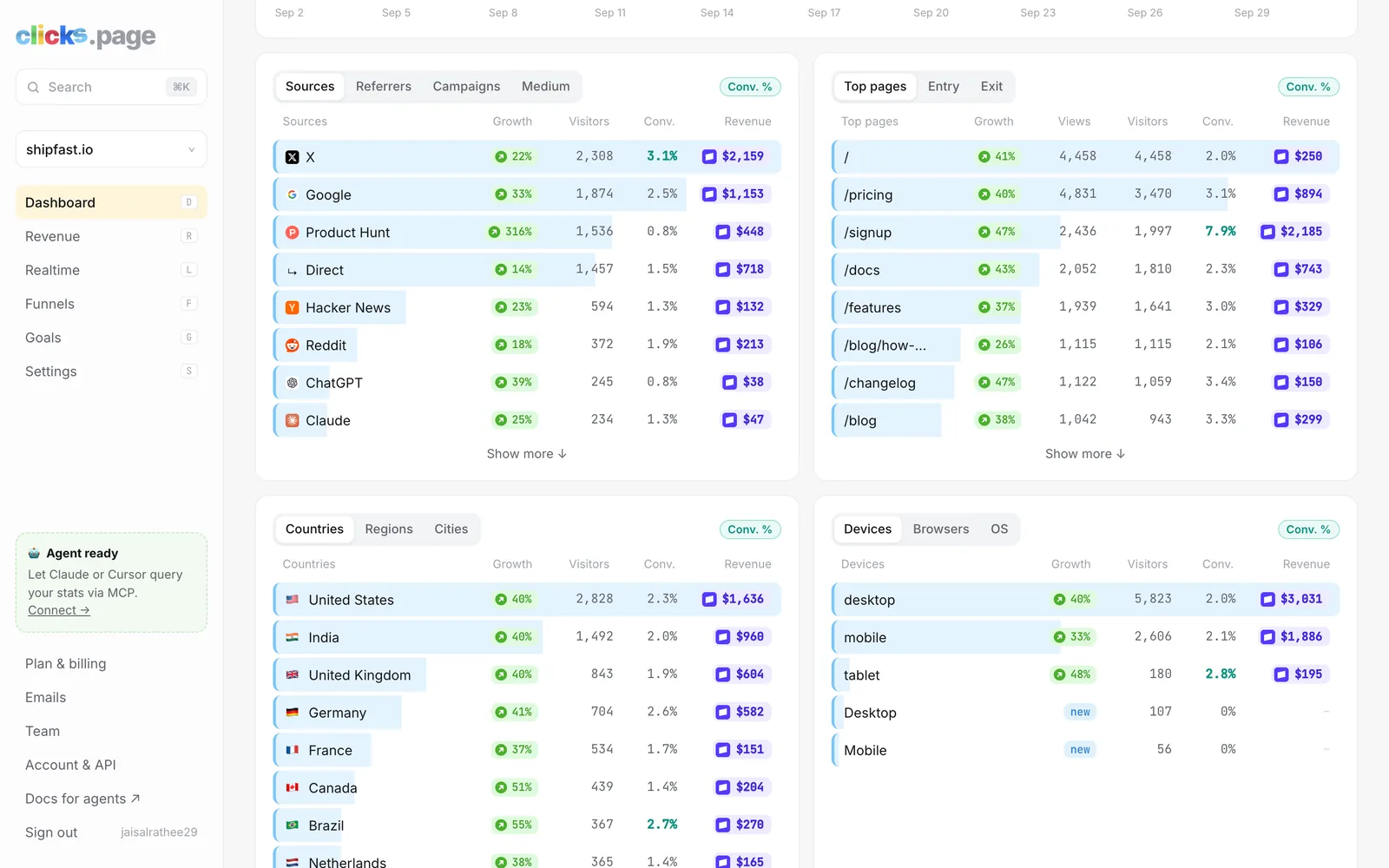
| Revenue by traffic source | YesEach sale credited to the visit, source, page and campaign behind it, on every plan | YesFrom purchase events you send from your code[3] |
| Payment providers connected natively | YesStripe, Paddle, Polar, Lemon Squeezy, Dodo Payments, Creem | NoNo native payment-provider integration found |
| No cookies (no consent banner for analytics) | YesCounts visitors with a daily-rotating one-way hash | NoSets _ga cookies for 2 years; EU sites usually need consent[4] |
| Where data is stored | PartlyCloudflare's global network; no EU-only option | PartlyEU visitors collected in the EU, then central servers[5] |
| Realtime view | YesLive map and visitor list | YesLast 30 minutes[6] |
| Goals and custom events | YesPages, events from code, or clicks and form sends set up with no code | Yes“Key events”, 30 on standard[2] |
| Funnels | Yes | YesIn Explorations[7] |
| Import history from other tools | YesPlausible, Fathom, Pirsch, Umami, Simple Analytics and DataFast by API key; anything else by CSV | NoStarts from zero |
| AI assistant referrals (ChatGPT, Claude…) | YesEach assistant as its own source, plus an AI traffic tile | Yes“AI Assistant” channel[8] |
| Official MCP server for AI agents | YesSign in with OAuth; listed in Claude's connector directory | PartlyExperimental, local-only, read-only[9] |
| Google Search Console | YesSearch queries on the dashboard | YesUp to 16 months[10] |
| Public dashboards | YesChoose exactly what's shown | PartlyThrough Looker Studio[11] |
| Email reports and alerts | YesWeekly report, sale alerts, traffic spikes, milestones | YesScheduled PDF or CSV reports, admins only[12] |
| Team members | YesInvite people to the websites you choose | YesDetailed roles[13] |
| Tracking script size | ≈7.4 KB compressed | ≈150 KB compressed (our measurement) |
| Open source / self-hosting | NoHosted only | No |
Where Google Analytics 4 is better
- It's free at any traffic level a small site will reach[1].
- Depth: explorations, audiences, BigQuery export (unlimited streaming on standard), and detailed roles that can hide revenue from some users[2][13].
- Google Ads integration and Google's wider marketing platform.
- Revenue by channel built into the acquisition report, once you send purchase events[3].
Where clicks.page is better
- No cookies. GA4 sets
_gacookies that last two years[4], which is why most EU sites show a consent banner for it. clicks.page sets none. - Live numbers. GA4's daily data can take 12–24+ hours[14]; clicks.page shows visits as they happen.
- No sampling or thresholds. GA4 samples large explorations and applies data thresholds you can't adjust[15]; clicks.page counts every visit.
- Payments connected, not coded. Connect Stripe, Paddle, Polar, Lemon Squeezy, Dodo or Creem and every sale is credited to its source. GA4 needs purchase events from your code and has no native Stripe integration[3].
- A ~7.4 KB script against GA4's ~150 KB (our measurements).
- Simplicity. One page with visitors, sources and revenue, built for founders rather than analysts.
Moving from Google Analytics 4
Export your GA4 reports as CSV (Reports → share → Download CSV) and upload them in clicks.page's Settings → Data. Your charts then start years back. You can keep GA4 running alongside while you compare.
Questions
Is clicks.page free like Google Analytics?
No. clicks.page has a 14-day trial with no card, then starts at $9 a month for 10k pageviews. GA4's standard version is free[1].
Do I need a cookie banner for Google Analytics?
GA4 sets cookies by default[4], so in the EU and UK you generally need consent before loading it; Google's Consent Mode is built for this. clicks.page doesn't use cookies.
Why are clicks.page's numbers different from GA4's?
Visitors who decline cookies, block Google's script, or fall under GA4's thresholds don't show up in GA4[15]. clicks.page counts every visit except bots, so it usually shows more.
Can I bring my GA4 history?
Yes: export your reports as CSV and upload them in Settings → Data.
Try clicks.page for 14 days
No card. Add one line to your site, or paste one prompt into your coding agent.
Sources
Checked on 1 October 2026. Prices are in US dollars, before tax, for the cheapest plan that covers the traffic. If something here is out of date, email jr@clicks.page and we'll fix it.
- Google Analytics: overview and pricing
- GA4 help: configuration limits
- GA4 help: traffic acquisition report
- Google: cookies used by Google Analytics
- GA4 help: EU data and privacy
- GA4 help: Realtime report
- GA4 help: funnel exploration
- GA4 help: default channel group
- Google Analytics MCP server (experimental)
- GA4 help: Search Console integration
- Looker Studio
- GA4 help: scheduled email reports
- GA4 help: access roles
- GA4 help: data freshness
- GA4 help: data thresholds